

Nanobanana User Guide: Master AI Image Transformation
A comprehensive guide to leveraging Nanobanana's advanced AI image editing platform. Learn to create stunning visuals with natural language prompts, master character consistency, and unlock the full potential of Gemini 2.5 Flash.
When I first landed on the NovaImage AI homepage, the professional vibe was immediate: a clean, modern interface, bold performance claims powered by Gemini 2.5 Flash, and a prominent Try Now button that makes starting your creative journey effortless.
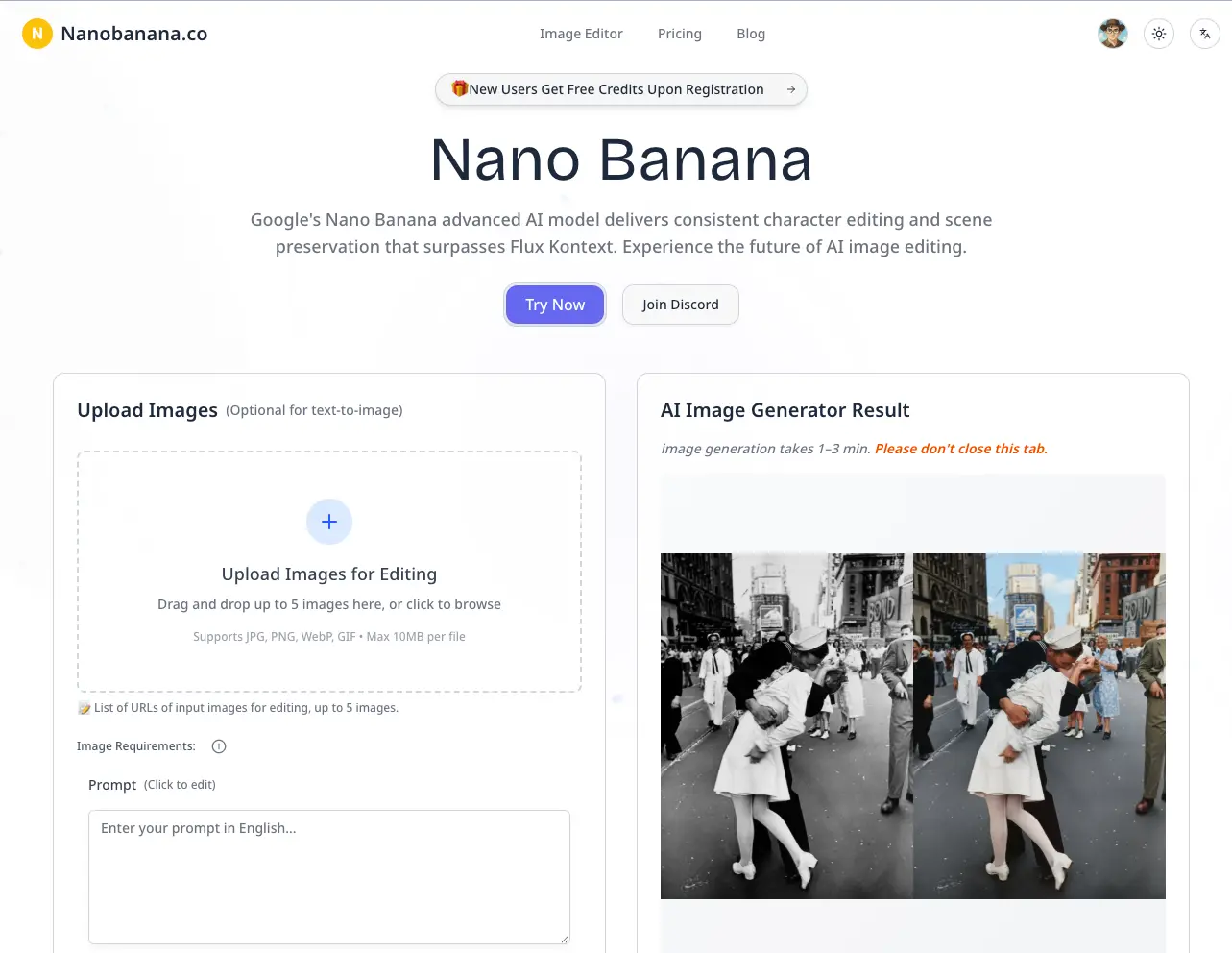
Nanobanana is designed as a true creative partner. It excels at preserving character identity, lighting, and scene context while allowing you to execute complex edits using simple, natural language. My goal was to see if it could really take a project from concept to completion without a steep learning curve.
This guide is a detailed walkthrough of my experience, structured using the 5W1H framework and SMART goal setting to help you achieve professional results from day one.
Platform Overview: The 5W1H Framework
Who is Nanobanana for?
Nanobanana is built for creators across every industry:
- Photographers: For high-end retouching and seamless restoration.
- Designers: For rapid background swaps and iterative visual concepts.
- E-commerce: For creating product variations and lifestyle imagery at scale.
- Marketers: For generating high-impact campaign visuals and social content.
- Content Creators: For crafting unique thumbnails and consistent branding assets.
What is Nanobanana?
At its core, Nanobanana is an AI-native image editor powered by Google's Gemini 2.5 Flash technology.
Core Capabilities:
- Text-Driven Edits: Modify images using natural language instructions.
- Character Consistency: Maintain identical faces and figures across multiple edits.
- Environment Control: Swap backgrounds and adjust lighting seamlessly.
- Multi-Image Fusion: Merge and composite elements from different photos.
- Style Transformation: Apply professional artistic styles while preserving structure.
Technology Stack:
- Gemini 2.5 Flash: For lightning-fast, high-fidelity generation.
- SynthID Watermarking: For invisible, pro-grade content verification.
- Advanced Filtering: Built-in safeguards for safe and ethical creation.
When should you use it?
Nanobanana is the ideal choice when your workflow demands speed and consistency:
- Creating high-volume social media or campaign assets.
- Placing products into diverse lifestyle contexts.
- Restoring or colorizing vintage photography.
- Visualizing architectural concepts or virtual staging.
- Iterating on complex creative briefs in real-time.
Where can you access it?
Web-Based Platform: NovaImage AI
- No bulky software installations required.
- Supports all major formats: JPG, PNG, WebP, and GIF (up to 10MB).
- Intuitive browser interface with secure cloud storage for your assets.
Why choose Nanobanana?
Key Competitive Advantages:
- Rock-Solid Consistency: Characters remain stable across every generation.
- Exceptional Speed: Gemini 2.5 Flash delivers results in seconds, not minutes.
- Zero Technical Barrier: If you can describe it, you can create it.
- Professional Trust: Built-in watermarking and quality safeguards.
How does it work?
The Professional Workflow:
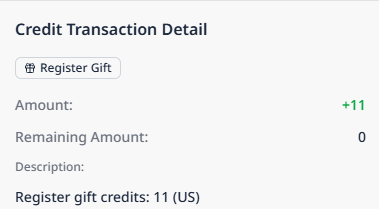
1. Setup → Create an account and receive free starter credits.
2. Upload → Drag and drop your source image into the editor.
3. Prompt → Write clear, natural language instructions.
4. Generate → AI processes your request (typically 30-60 seconds).
5. Refine → Use iterative prompts to perfect every detail.
6. Export → Download high-resolution assets from your library.
Step-by-Step Walkthrough: From Zero to Pro
Step 1: Initial Setup
The Nanobanana landing page focuses on immediate value. The Try Now / Launch AI Image Editor button gets you into the creative environment instantly.
Account Registration:
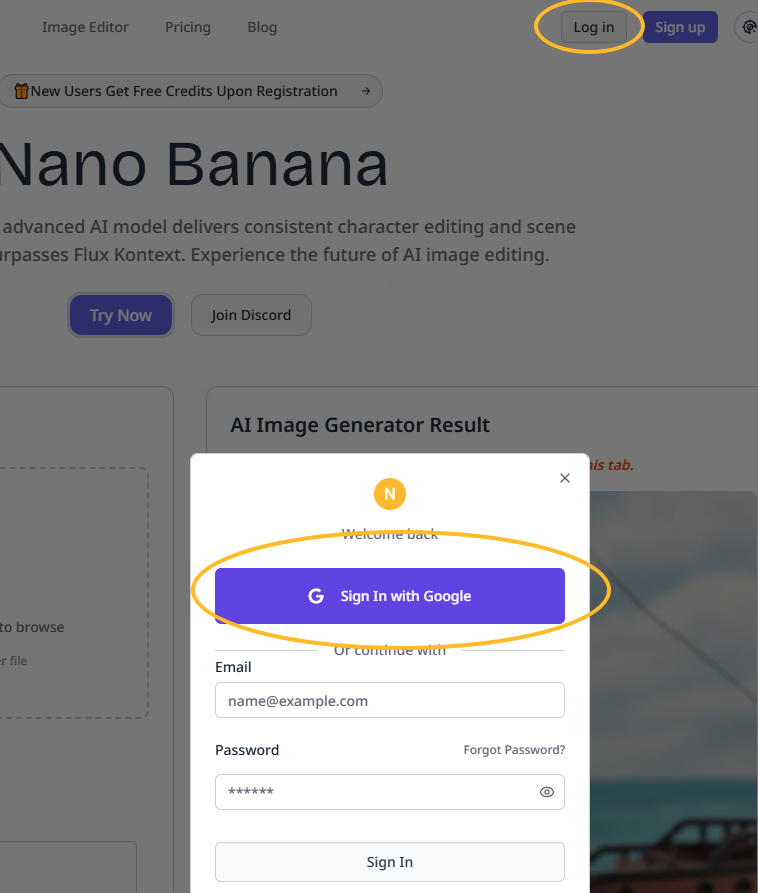
- Quick email registration.
- Immediate access to free starter credits.
- No credit card required to start exploring.
Step 2: Choosing Your Plan
Nanobanana offers flexible tiers to match your production volume:
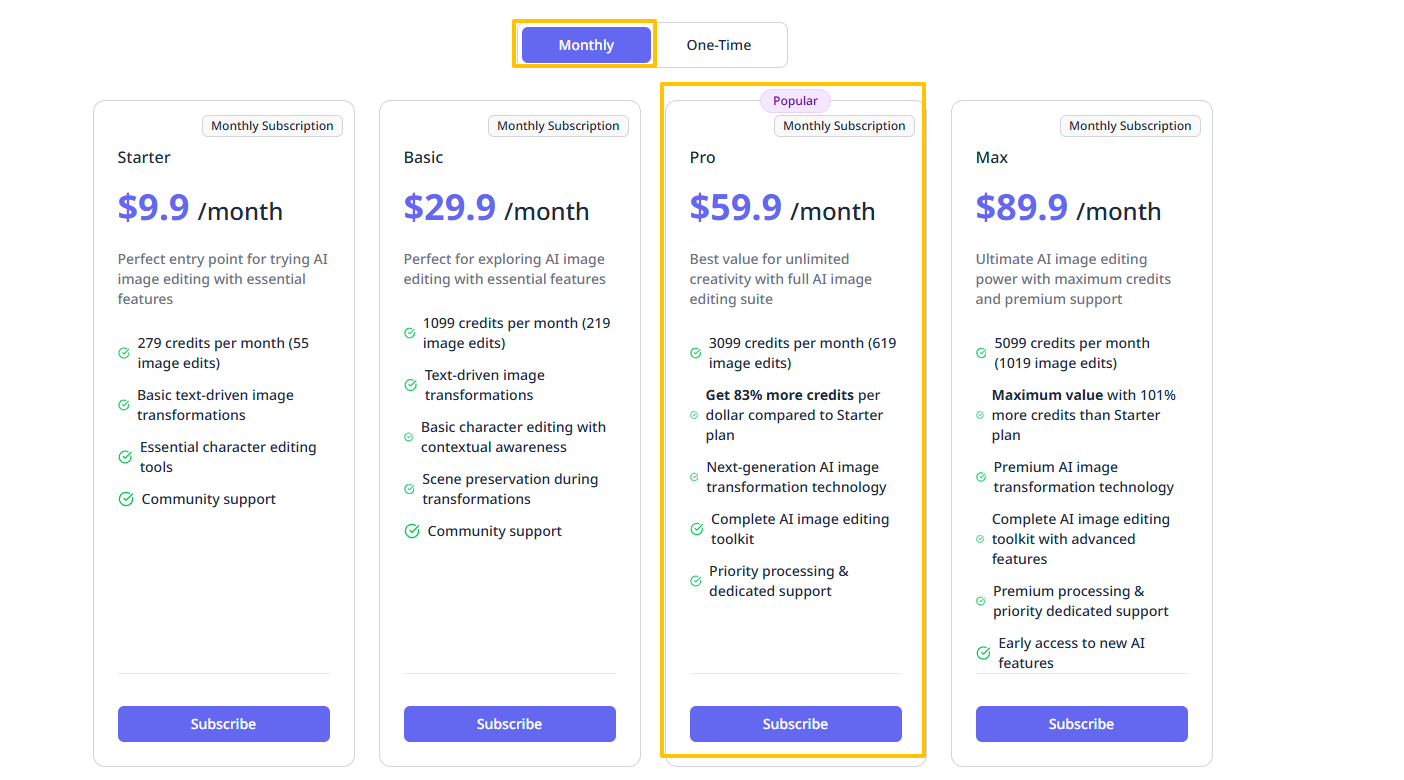
- Starter: $9.9/month (~55 edits) — Ideal for individual creators.
- Basic: $29.9/month — For consistent content production.
- Pro: $59.9/month — For professional studios and agencies.
- Max: $89.9/month — For high-volume enterprise workflows.
Pro Tip
Use your free credits to master the prompt style before committing to a plan. Remember: failed generations do not consume credits, so experiment freely!
Step 3: Mastering the Editor
The interface is designed for focus and efficiency:
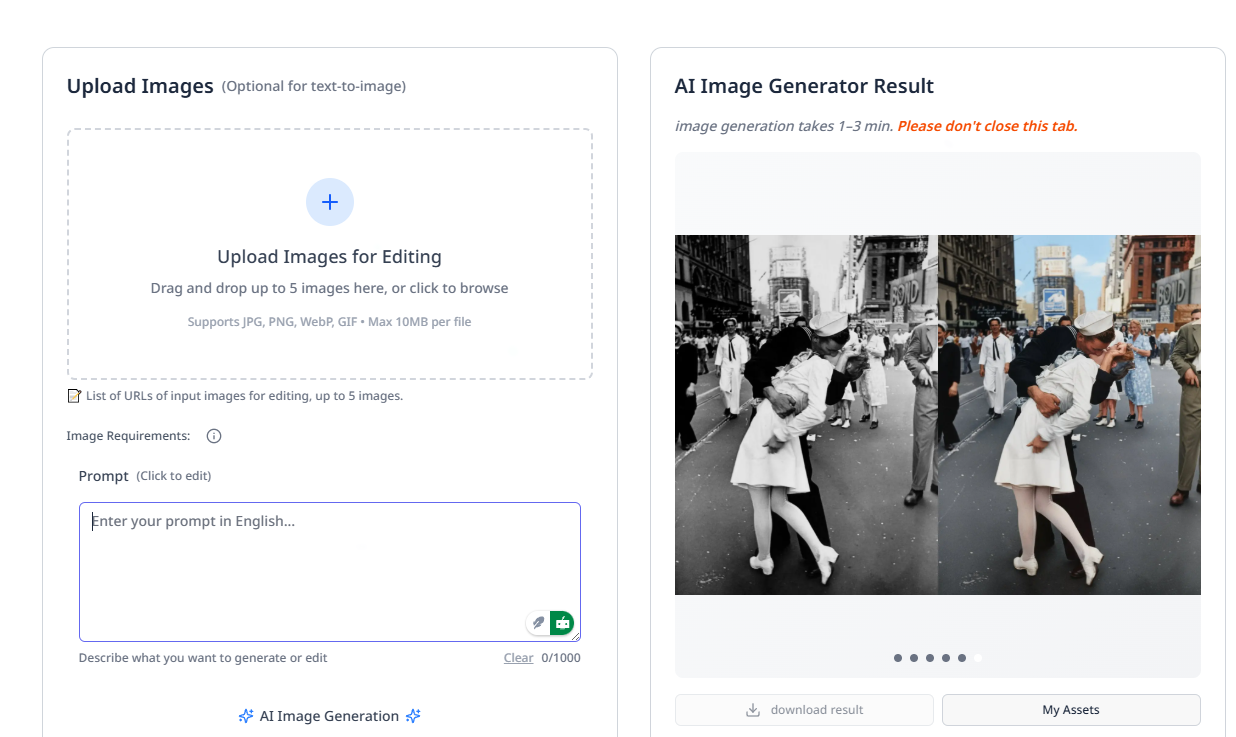
- Clean Canvas: Minimalist drag-and-drop area.
- Smart Prompt Box: Where your descriptions turn into pixels.
- Live Balance: Always know exactly how many credits you have left.
Step 4: Crafting Effective Prompts
The secret to professional results lies in your prompt structure.
Effective Example:
Replace the cloudy sky with a vibrant, warm sunset.
Add a glowing neon sign reading "OPEN" to the shop window.
Subtly enhance the lighting on the subject's face
while maintaining 100% character identity.
Best Practices:
- Be Specific: Describe colors, textures, and lighting.
- Define Preservation: Explicitly state what should not change.
- Use Action Verbs: Use "Replace," "Add," "Enhance," or "Transform."
- Layer Your Edits: Break complex transformations into logical steps.
Step 5: Generation and Review
Nanobanana's engine works rapidly to bring your vision to life:

- Speed: Most generations complete within 30-60 seconds.
- Variations: Review multiple takes on your prompt.
- Instant Preview: High-quality previews before you commit to a download.
Step 6: Iterative Refinement
Professional design is an iterative process. Use follow-up prompts to polish your work.
Refinement Example:
Reduce the neon sign's glow by 30%.
Make the sunset slightly more orange.
Keep everything else exactly the same.
Step 7: Asset Management
Your creations are stored in a professional-grade library:
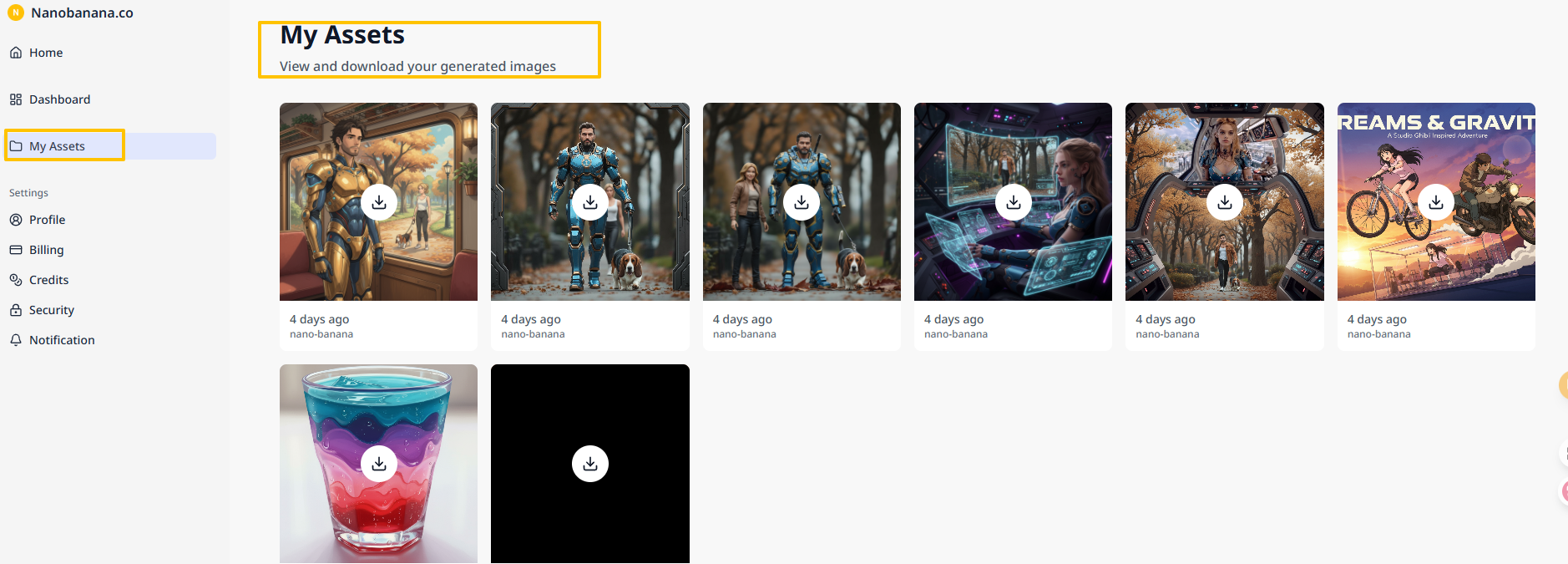
- High-Res Export: Download in production-ready PNG format.
- Version Control: Access previous iterations of any project.
- Bulk Actions: Manage and download multiple assets efficiently.
Strategic Planning with SMART Goals
To get the most out of Nanobanana, align your creative efforts with business objectives using the SMART framework.
- Specific: Define exact deliverables (e.g., "Generate 10 ad variations for Product X").
- Measurable: Track your credit usage against successful outputs.
- Achievable: Set targets based on your monthly credit limit.
- Relevant: Focus on assets that drive real KPIs like CTR or conversions.
- Time-bound: Set clear deadlines for your creative sprints.
Troubleshooting and Best Practices
Optimize Your Input
- Quality Matters: Higher resolution uploads lead to superior AI transformations.
- File Limits: Stay under 10MB; use JPG, PNG, or WebP for best compatibility.
Refine Your Prompts
- Avoid Vague Terms: Instead of "make it better," use "increase contrast and sharpen details."
- Sequence Matters: If an edit is very complex, do it in two steps rather than one.
Quality Assurance
- Use Preservation: Always mention "keep the original face" or "preserve the logo" to ensure brand integrity.
- Check Watermarks: Every image includes a SynthID watermark, ensuring your content is verifiable and professional.
Final Verdict
Nanobanana makes professional-grade image manipulation genuinely accessible. By pairing Google's Gemini 2.5 Flash with an intuitive, user-first interface, it removes the technical hurdles of traditional editing.
Whether you are a solo entrepreneur or part of a global creative team, Nanobanana transforms image editing from a chore into a powerful creative opportunity.
Author

Categories
More Posts
Guide to the Nano Banana Video Generator
A practical guide to using the Nano Banana Video Generator for product videos, social clips, cinematic shots, and image-to-video workflows with simple prompts.

Behind the Scenes of Nanobanana
Explore the engineering behind Nanobanana, powered by Gemini 2.5 Flash. Learn how character consistency, interleaved generation, and native multimodal architecture are redefining AI image creation.
Nano Banana 3: What We Actually Know, What Users Want, and What Might Come Next
Google has not officially announced Nano Banana 3, but community expectations are already taking shape. Here is what is confirmed, what users want, and what could realistically come next.